Tessie App Review 2026: Is It Better Than the Tesla App?
Last Updated: 1 November 2026
Tessie is a Tesla companion app I use for battery and charging data. The standard website plan costs US$6.99/month or US$69.99/year per vehicle. If you want automations or detailed battery tracking, you will need Pro or Fleet. I would try it if you often wish the Tesla app showed you more; otherwise, the official app may be enough.
I have used Tessie with my Model 3 for years. The two things I come back to are battery tracking and charging costs, because they help me understand how the car is doing and what it costs to run. Here is what I find useful, what the different plans include and how I would decide whether to pay for it.
What changed in Tessie 16.1?
The current release adds optional AI connections, global driving/charging statistics and more battery information. I have not described these additions as personal testing. For requirements and setup, use Tessie’s release announcement.
The lifetime charging-energy metric requires vehicle firmware 2026.32 or later. It is an energy total, not a battery-health percentage. Before linking an AI assistant, review what it can access and control.
Other useful changes to know about
The 16.0 update changed battery comparisons to use vehicles from the same manufacturing line and added a redesigned Software page. Its streaming improvements exclude legacy Model S/X with MCU1. See the 16.0 notes for compatibility.
Tessie also supports per-session charging fees and a Wear OS keycard feature. The latter needs Watch Key, an NFC-capable unlocked watch and a supported vehicle; check the 15.10 requirements before relying on it.
Quick Verdict: Tessie App Review
Tessie is worth considering if you enjoy digging into your car's data or want a clearer record of charging and journeys. For me, the value is in information I look at over time, rather than another way to lock the car. Pick the plan carefully: detailed battery tracking and automations sit in Pro and Fleet.
If you mainly use the Tesla app to check charge, set the climate and book a service, you may not need another subscription. Try Tessie when there is something you want to understand better, then see whether you keep using it.
What You Get from Tessie
Following battery trends. Standard Tessie includes basic tracking; Pro and Fleet add more detail. Look for a pattern over time rather than worrying about one estimate. If battery analysis is your main reason for subscribing, check that the plan you choose includes the detail you want.
Understanding charging costs. Add your electricity rate, including an off-peak tariff if you have one, and Tessie can estimate what your charging costs. That makes it easier to follow than working through the figures yourself. Keep the rate up to date so the estimates stay useful.
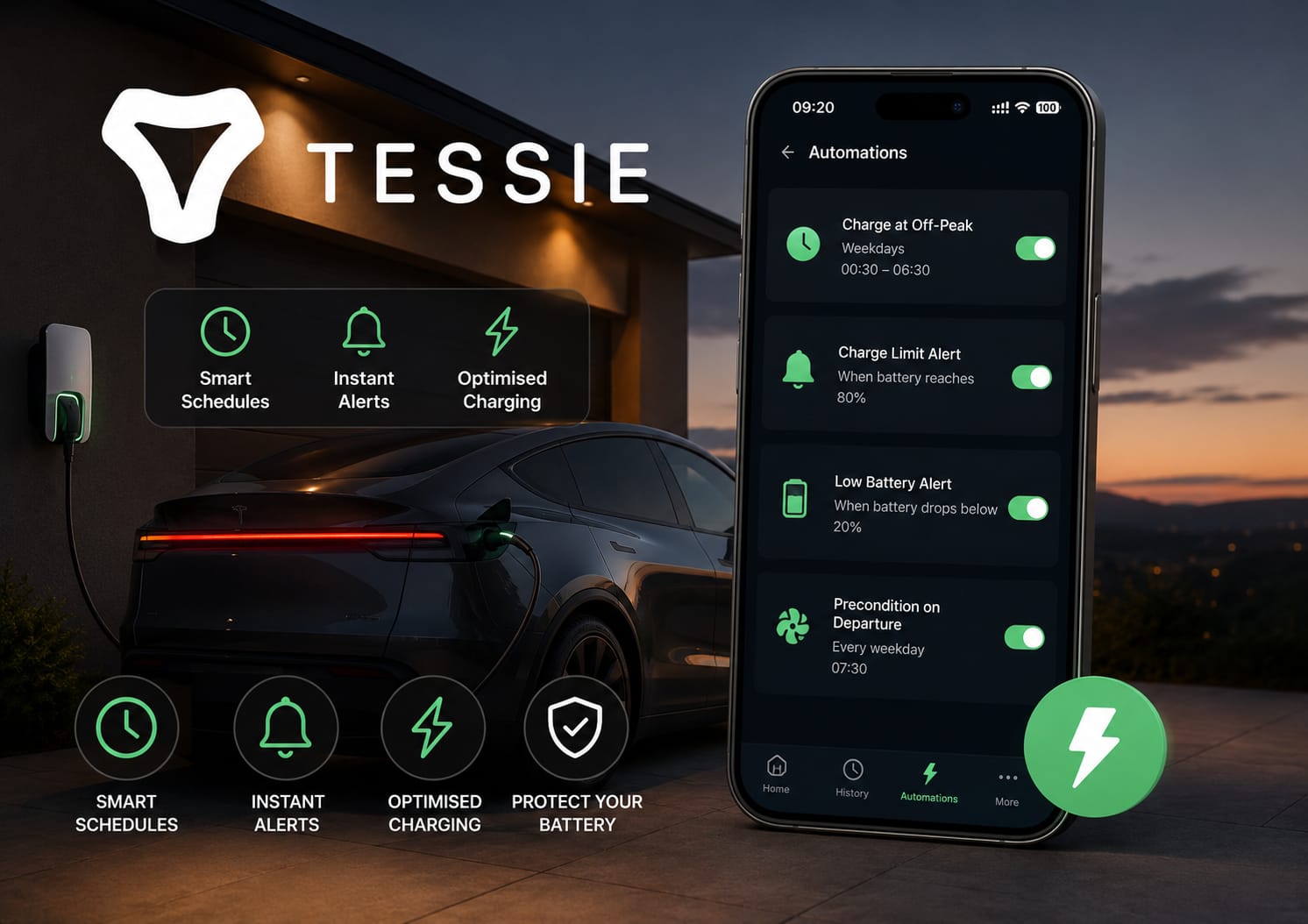
Automations with Pro or Fleet. If you want to set up automations, compare Pro with the scheduling options you already have in the Tesla app. The standard Tessie plan does not include automations, so it is worth checking this before you subscribe.
Quicker access from your phone. Widgets give you a view of things such as charge status and climate controls from your home screen. Check the shortcuts and integrations available on your device, as those may matter more to you than another set of charts.
A record of your journeys and charging. Tessie keeps drive and charging data that you can look back through. Try the logs alongside the official app and see whether you find the extra detail useful.
Tessie vs the Official Tesla App
I would keep the official Tesla app alongside Tessie. You will still use it for service bookings, software updates and vehicle settings. Tessie is the extra app to consider when you want to spend more time looking at your car's data.
For everyday checks, use whichever app feels easier. If you want automations, remember to include the Pro price in your comparison rather than judging it against the cheaper standard plan.
Common Questions
Is Tessie better than the Tesla app?
It depends on what you want from it. I find Tessie useful for understanding charging and battery data, while I still keep the Tesla app for vehicle settings and service. If automations are the attraction, compare Pro's features with the Tesla app before subscribing.
How much does Tessie cost?
Tessie lists its website prices in US dollars, per vehicle. These were the prices on 2 October 2026:
| Plan | Monthly | Annual | Lifetime |
|---|---|---|---|
| Tessie | US$6.99 | US$69.99 | US$199.99 |
| Pro | US$12.99 | US$129.99 | US$299.99 |
| Fleet | US$19.99 | Not listed | Not listed |
Annual driver plans save about 17% compared with paying monthly for a year. Standard Tessie includes basic battery tracking; Pro adds detailed tracking, automations and Profiler. If you buy through a UK app store, check the price shown there rather than converting these dollar amounts yourself. See Tessie's current prices and features.
Does Tessie work with all Teslas?
Tessie supports Model S, Model 3, Model X, Model Y and Cybertruck, including Model 3 Highland and Model Y Juniper. You link it through your Tesla account. If you are choosing it for a particular feature, check the requirements for your car as well as the subscription plan.
Does Tessie drain the battery?
Tessie says it lets your car sleep without waking it unless you take an action. If you notice charge dropping while parked, also check Sentry Mode, climate settings and pending updates. Tessie flags a known API issue on some older Model S/X cars, with firmware 2025.20+ and Direct Telemetry as the fix. Its sleep guide and phantom-drain checklist are useful places to start.
Is Tessie safe to connect to my Tesla account?
You connect through Tesla's own authorisation process, known as OAuth. Tessie receives an access token and does not store your Tesla password. It also describes encrypted connections and storage, biometric protection and support for Tesla multi-factor authentication. I would still read the permissions before connecting and remove access when you no longer need it, as you would with any service linked to your car. Tessie explains its security measures here.
Does Tessie offer a free trial?
Yes, Tessie advertises a free trial. Before starting, look at which plan you are trying, how long it lasts and what you will pay when it ends. Check how to cancel, too. My buttons use a referral link; any discount or offer needs to appear when you sign up, so use the terms you see there rather than assuming a particular deal.
I have used Tessie with my 2021 Model 3 Long Range for years. The battery health tracking is what I check most often and the charging cost tracking is what I find most practically useful. Following my charging costs gives me a clearer picture of what the car costs to run. In my earlier review, I was using Intelligent Octopus Go at 8p/kWh overnight; your own tariff will determine the figures you see.
The £39.99 annual price in my earlier review was what I paid at the time. Use the current prices above when deciding whether to join. Battery and charging data are still the features I value most. I like the widgets, but I do not use the automations much. During a trial, I would pay attention to which features you keep opening and whether those are worth the subscription to you.
Monitor Tesla phantom drain with Tessie
If your Tesla loses charge while parked, my Tesla phantom drain guide shows where to find the Phantom Drain view in Tessie's Battery section and how to compare parked periods.

I’m Steven, founder of MoneyAppReviews. I test money apps, referral programs, and EV tools in real life before I write about them. I drive a 2021 Tesla Model 3 Long Range, use Octopus Intelligent Go for home charging, and regularly track costs, savings, and app performance over time. I focus on practical, evidence-based reviews that help people decide what is actually worth using, not just what pays the highest commission.