Does Tessie Work with Model 3 Highland and Model Y Juniper?
Last Updated: July 1, 2026
Yes, Tessie works with Model 3 Highland and Model Y Juniper. Tessie connects through your Tesla account, not through model-specific hardware. If your car appears in the Tesla app and Tesla's API is exposing data for it, Tessie will connect. Compatibility is not decided by whether the badge says Highland or Juniper. It is decided by whether Tesla's connected services are active on your account.
Compatibility is not the decision that matters. What matters is whether the extra data, automation, and controls Tessie adds are worth paying for on a newer car that already has an improved version of Tesla's own software.
Tessie works with Model 3 Highland and Model Y Juniper because the app connects through your Tesla account, not through model-specific hardware. The Highland and Juniper updates changed the styling, interior, and suspension but did not change the API that Tessie relies on. This guide explains why compatibility is not a model name problem, what Tessie adds to newer Teslas that already have improved software, and when the subscription matters less.
Quick Answer
Tessie Highland Juniper compatibility is straightforward. The app works with Model 3 Highland and Model Y Juniper because it connects through your Tesla account credentials, the same way the official Tesla app does. Highland and Juniper are body style and interior updates, not a new software platform. Tesla's API treats them the same way it treats earlier Model 3 and Model Y cars.
The question worth asking is not whether Tessie connects. It is whether you want the extra features enough to pay for a subscription on top of a car that already ships with Tesla's most refined software to date.
Why Tessie Highland Juniper Compatibility Is Not a Model Name Problem
Tessie does not care what your car is called. It authenticates through your Tesla account and pulls data through Tesla's API, the same API that powers the official app. When Tesla updated the Model 3 with the Highland refresh, it changed the exterior styling, the interior layout, the suspension tuning, and the acoustic treatment. It did not change how the car talks to Tesla's servers.
The same applies to Model Y Juniper. New lights, new bumpers, new interior materials, but the same API endpoints for battery data, charging history, climate control, and vehicle status. Tessie reads those endpoints regardless of what generation the body shell belongs to.
The only scenario where Tessie compatibility would break is if Tesla changed the API structure specifically for newer cars. Tesla has not done that for Highland or Juniper. If Tesla ever does, third-party apps would need to adapt, but that has not happened and there is no sign it will.
What Tessie Adds to Highland and Juniper Cars
Newer Teslas ship with improved versions of Tesla's own software. The official app already does more than it did in 2021. So what does Tessie add that the stock experience does not?
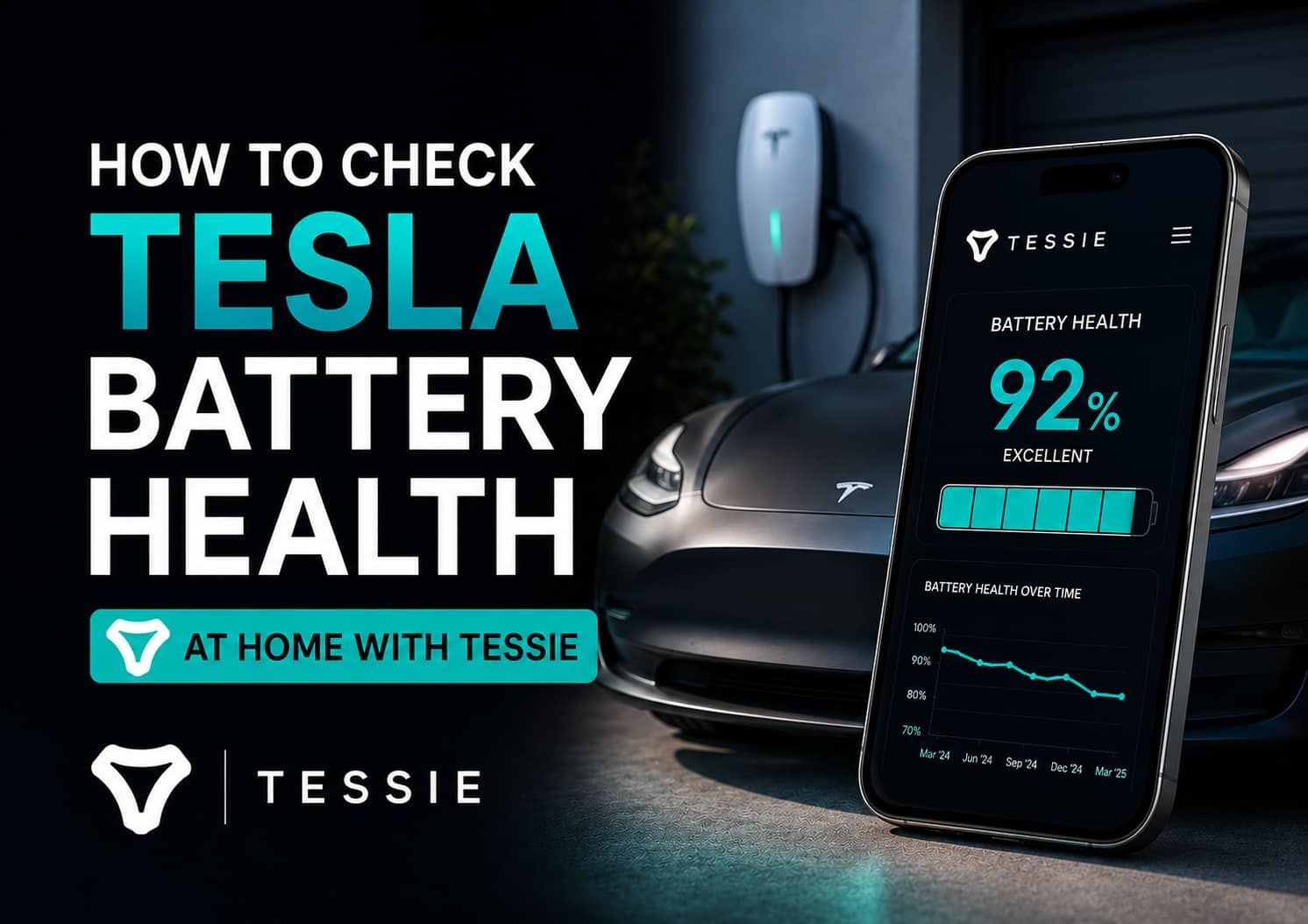
Battery health tracking over time. Tesla shows you an estimated range. Tessie plots it over months and years, compares it to the fleet average for your model, and shows you the degradation curve. A 2024 Highland or 2025 Juniper will not have much degradation yet, but the tracking starts from day one and builds a record. In three years, that record is what tells you whether your battery is aging normally.
Charging cost tracking. Tessie lets you input your home electricity rate, including off-peak tariffs like Intelligent Octopus Go at 8p/kWh, and calculates exactly what each charge costs. Tesla's app tells you how many kWh went in. Tessie tells you what that cost in pounds.
Automations the stock app does not offer. Tessie can trigger actions based on conditions. Start charging when your electricity rate drops. Preheat the cabin at a scheduled time. Close the windows if rain is forecast. These conditional automations are not available in the official Tesla app.
Home screen widgets and voice shortcuts. Tessie's iOS and Android widgets put climate, lock, and charge controls on your home screen. You tap once instead of opening an app, waiting for it to wake the car, and then tapping. Siri Shortcuts and Google Assistant integration let you precondition the car by speaking.
Sentry mode viewer and trip logging. Tessie logs every drive with efficiency data and lets you view sentry footage from within the app. Tesla has added some of this to its own app, but Tessie's implementation is still smoother for browsing footage and reviewing trip history.
When Tessie Matters Less on a Newer Tesla
If you bought a Highland or Juniper and your whole reason for considering Tessie is basic car control, you probably do not need it. Tesla's own app on a 2024 or newer car is fast, stable, and covers the essentials well.
Tessie matters more when you want the data layer that Tesla does not provide: the trend line on your battery, the running total of what charging actually costs, the automation triggers, and the widgets. If those features do not sound like something you would use regularly, skip Tessie. The free trial exists so you can find out without paying.
How to Test Tessie on a Highland or Juniper
- Make sure your Tesla account is active and your car appears in the official Tesla app.
- Start a Tessie free trial through a referral link.
- Log in with your Tesla credentials. Tessie uses the same authentication as the official app.
- Give it a few charge cycles to start building battery and charging data.
- Check the features you actually care about. If battery health and charging costs do not interest you, do not subscribe just because the widgets are nice.
The free trial is typically one month. That is enough time to see whether Tessie fits your routine or feels like an extra app you do not open.
Common Questions
Does Tessie work with Model 3 Highland?
Yes. Tessie connects through your Tesla account, not through model-specific hardware or software. The Highland refresh changed the car's styling, interior, and mechanical components but did not change the API that Tessie relies on. If your car works in the official Tesla app, Tessie will connect to it.
Does Tessie work with Model Y Juniper?
Yes. The same account-based connection applies. Model Y Juniper is a styling and interior update, not a new software architecture. Tessie reads the same API endpoints regardless of whether the car is a pre-facelift Model Y or a Juniper.
Will Tessie work with future Tesla models and updates?
Tessie relies on Tesla's API, which has been stable across multiple model generations and software versions. Future Tesla models will almost certainly use the same API structure. The risk is that Tesla could change or restrict third-party API access. Tesla has not signalled any intention to do this, and the third-party app ecosystem is a meaningful part of Tesla ownership for many drivers, but it is a risk worth being aware of.
Are there any Tessie features that do not work on newer Teslas?
In general, no. If Tesla exposes a feature through the API, Tessie can use it. If Tesla restricts a feature, Tessie cannot bypass that restriction. For example, if Tesla limits how often the car can be polled for data, Tessie's refresh rate adjusts accordingly. The app is subject to the same API limits as every other third-party Tesla tool.
Is Tessie worth it if I have the latest Tesla software?
It depends on what you want. Tesla's own app has improved significantly and covers the basics well. Tessie adds value if you care about battery health trends, charging cost tracking, automation triggers, home screen widgets, or voice shortcuts. If none of those features appeal to you, the free Tesla app is fine and Tessie will feel like a subscription you do not use. Try the free trial before deciding.
Can I use Tessie alongside the official Tesla app?
Yes. Tessie and the Tesla app coexist without conflict. Both connect to the same Tesla account. Both can be installed on the same phone. Tessie does not replace or interfere with the official app. It adds features on top of what Tesla provides. Use the Tesla app for basic control and Tessie for the data, history, and automation layers.
I drive a 2021 Model 3 Long Range, which is pre-Highland. Tessie works perfectly on it and has done since I installed it. I have spoken to Highland and Juniper owners in owner groups who use Tessie, and the experience is identical. Same connection process, same features, same data.
The thing that matters more than the model year is what you want from the app. On a newer car, Tesla's own software is better than it was, so the gap Tessie fills is narrower in some areas. The battery health tracking and charging cost tracking are still the features I check most often, and those are the same regardless of whether your car has a pre-facelift nose or a Highland light bar.
If you just picked up a new Highland or Juniper and you are curious, start the free trial. It costs nothing and you will know within a week whether Tessie earns a spot on your home screen.

I’m Steven, founder of MoneyAppReviews. I test money apps, referral programs, and EV tools in real life before I write about them. I drive a 2021 Tesla Model 3 Long Range, use Octopus Intelligent Go for home charging, and regularly track costs, savings, and app performance over time. I focus on practical, evidence-based reviews that help people decide what is actually worth using, not just what pays the highest commission.