Last Updated: June 24, 2026
TeslaFi review searches usually come from owners who already know they want more data than the standard Tesla app gives them. TeslaFi still makes the most sense when your priority is long term records, mileage logs, charging history, and exports rather than a slicker phone first experience.
In a rush? TeslaFi is still a strong fit for long-term records and exports. Start the TeslaFi trial here.
The main question is simple: will the way TeslaFi works suit the kind of Tesla owner you are, or would a more app first tool fit you better?
TeslaFi review: quick verdict
TeslaFi still works best for owners who want to keep serious long-term records. If you care about trip history, charging detail, mileage logging and exports, it still earns its place. If you mainly want a slicker companion experience, it can feel dated.
Who this TeslaFi review is for
This TeslaFi review is mainly for drivers who care about what the car has done over time. Business-mileage users, data-focused owners and anyone tracking charging costs usually get the clearest value from it.
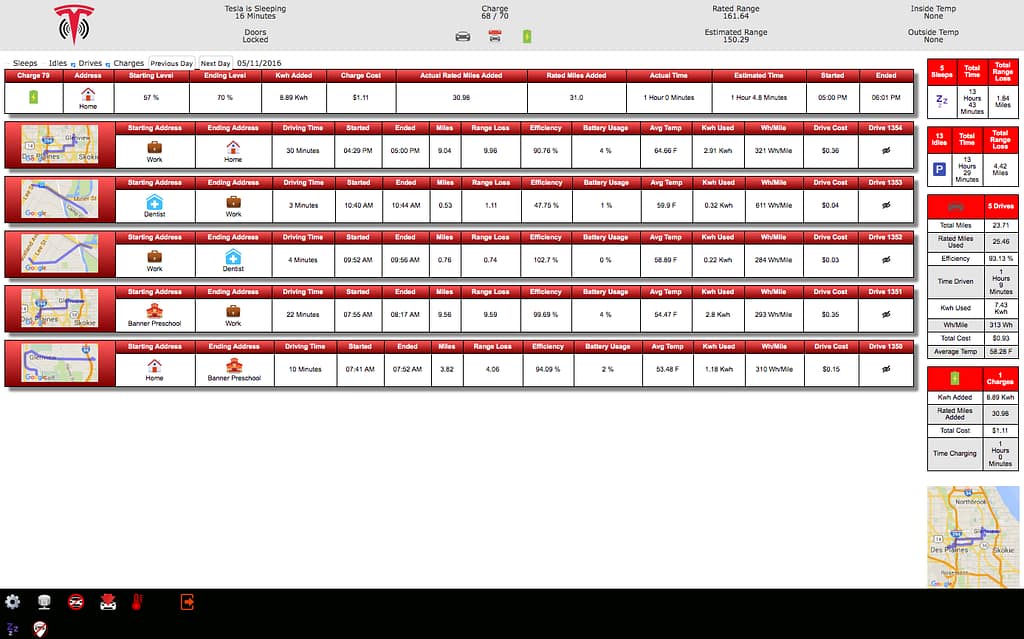
What TeslaFi does well
- Detailed trip and charging history
- Long-term mileage and efficiency records
- Useful exports for people who actually use their data
- A more record-led approach than most app-first alternatives
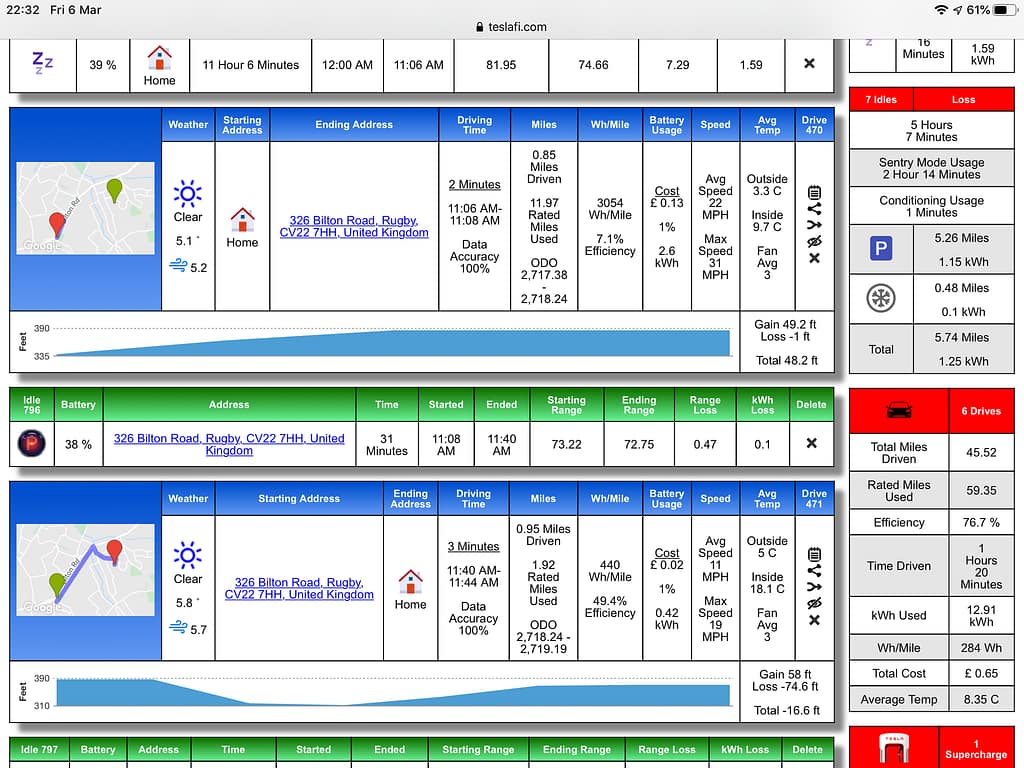
Where TeslaFi feels weaker
The weak point is presentation. TeslaFi is more functional than polished. That is fine if records are the whole point, but it matters if you want something that feels more modern and phone-native.
TeslaFi vs Tessie
TeslaFi still has the stronger case when you care about logs and historical record-keeping. Tessie usually feels stronger when you care about automation, widgets and a cleaner daily-use app experience.
Is TeslaFi worth paying for?
This TeslaFi review lands in the same place each time: it is worth paying for if you use the records. If you are only checking it occasionally and not acting on the data, the value falls away quickly.
My take
TeslaFi is still easier to recommend than many owners expect because it knows what it is. It is not trying to be the prettiest app in the category. It is trying to be genuinely useful for records, and that still suits a lot of Tesla owners very well.
<script type="application/l

I’m Steven, founder of MoneyAppReviews. I test money apps, referral programs, and EV tools in real life before I write about them. I drive a 2021 Tesla Model 3 Long Range, use Octopus Intelligent Go for home charging, and regularly track costs, savings, and app performance over time. I focus on practical, evidence-based reviews that help people decide what is actually worth using, not just what pays the highest commission.